BODYCAM Controls
Sprint, lean, flashlight, laser, mag check, and gamepass keys from the official listing.
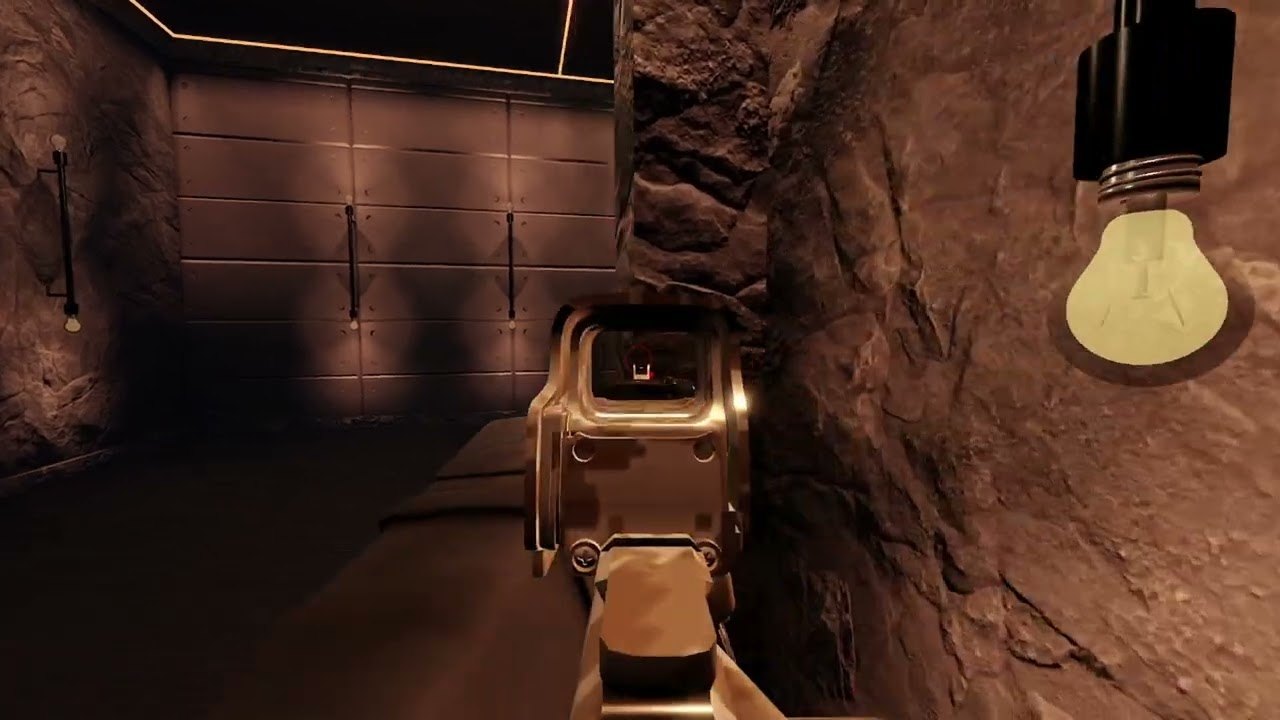
Quantum Studios EU prints a PC and console control block on the Roblox place description. This page repeats that listing, then flags what the listing does not publish. If a bind is missing here, it is missing because the official text does not name it — not because this wiki forgot a secret key. Learn aim, shoot, and reload in a lobby. Do not treat a fan chart as an official key list.
New officers should finish Getting Started first, then come back here before a live raid. The how to play loop assumes you already know sprint, crouch, lean, and equipment 1–4. Mobile players should read the mobile section twice: there is no layout editor, mag check is missing, and the drone button is awkward.
Official PC listing
These are the PC binds from the Roblox description:
- Left Shift — sprint
- V — flashlight
- Z — laser (the listing spells it Lazer)
- X — change firemode
- CTRL — crouch
- Q — lean left
- E — lean right
- M — check your magazine / inspect weapon / check ammo (PC only)
- 1, 2, 3, 4 — change equipment (rifle, secondary, flashbang)
The description lists magazine inspect twice (once as M, once as Inspect Weapon / Check Ammo — M). Both lines point at the same PC-only mag check. Console and mobile do not get that inspect.
The listing does not publish a PC interact key, and it does not publish aim, shoot, or reload. This wiki will not invent those as official. Practice them in the lobby until they are muscle memory, then take them into House Raid.
Official console listing
Console shares the same description block:
- R1 — sprint
- Square — interact
- Square — flashlight (the same button is listed for both interact and flashlight)
- Triangle — laser
- L1 — crouch
- D-pad Left — lean left
- D-pad Right — lean right
- D-pad Up — change equipment (rifle, secondary, flashbang)
Square is printed twice on purpose. The official text names Square for interact and for flashlight. This page will not pick a winner. Test both contexts in a quiet lobby: hold or tap, ADS or hip, door versus dark hallway. If a patch splits those actions, latest updates is the place to confirm — not a guessed extra button.
Firemode on console is not given its own face button in the published list (PC uses X). Mag check is not listed for console. Lean is D-pad, not thumbstick click. Equipment is D-pad Up cycling the same 1–4 kit the PC number row uses.
Gamepass binds the community actually uses
These keys are not on the base Roblox description. They belong to paid extras. Confirm the pass on the gamepass list and the gamepass tier list before you bind them in your head.
- Tactical NVG — N on PC, D-pad Down on console
- Drone Operator — J on PC, R3 on console
- Headlight — L on PC
NVG matters in The Cult forest and in unlit interiors. The drone is a scout tool, not a required win condition; Harbor Rush and large compounds benefit, House Raid usually does not. The headlight is a second light source on top of V / Square. None of the three are required to extract with the default rifle kit.
Mobile: on-screen only
Mobile BODYCAM uses on-screen buttons. There is no layout editor. You cannot drag the drone button, mag inspect, or firemode to a friendlier corner. Mag check is missing on mobile — the M inspect from the PC list does not exist here. Players who own Drone Operator also report a hard-to-hit drone button. Expect thumbs to cover lean and flashlight in tight kitchens.
Because the official listing is written for PC and console, mobile officers should treat every HUD button as a local discovery: tap it in the lobby, watch the AXON overlay, then take the same finger path into House Raid. Do not copy a PC key onto a mobile screenshot and call it official.
What the listing refuses to name
Aim, shoot, and reload are not in the Quantum Studios EU control block. This guide will not fill the blank with WASD myths, right-trigger guesses, or a fake mobile gesture chart. If a YouTuber shows a bind, it is their setup, not the place description. Learn those three actions in an empty lobby, then trust the published list for sprint, lean, light, laser, firemode, crouch, mag check, and equipment.
Interact on PC is also unpublished. Console Square is the only interact line in the official text. Doors, cuffs, REPORT markers, and extract prompts are in-world interactions — see the how to play page for when to use them, not a made-up PC key.
How to practice before a real Operation
Stand in the lobby. Toggle flashlight and laser until you can hit both without looking down. Crouch and lean through a doorway-shaped gap. Swap 1–4 so the rifle, secondary, and flashbang are distinct. On PC, tap M and actually read the mag, because Harbor Rush Extreme and The Cult Nightmare punish a dry rifle in a dark corner. On console, resolve the Square double-listing before you need a cuff and a light in the same second. On mobile, find flashlight and equipment without covering the fire button.
Then queue a low-risk map from the maps guide. House Raid kitchens are the best bind classroom: short hall, dark corners, no bomb. After two clean extracts, you can take the same hands into Apartment Assault stairs or Club Crash interiors. Save Harbor Rush Extreme rooftop drops and The Cult forest until lean and light are automatic.
If a patch adds a new gadget, check updates before you invent a key. Client extras that change input belong on the scripts page, not in this listing. For the rest of the raid plan, return to the Guides Hub or jump straight to loadout and daily quests once the binds feel boring.
Frequently Asked Questions
Quick answers officers search before they drop into a raid.
What are the official BODYCAM PC controls?
Left Shift sprint, V flashlight, Z laser, X firemode, CTRL crouch, Q/E lean, M mag check, and 1–4 for rifle, secondary, and flashbang. Aim, shoot, and reload are not published.
What are the official console controls?
R1 sprint, Square interact and Square flashlight (both listed), Triangle laser, L1 crouch, D-pad Left/Right lean, D-pad Up equipment. Mag check is not listed for console.
Is magazine check available on console and mobile?
No. The official listing assigns mag inspect to M on PC only. Mobile also has no mag check and no layout editor.
What keys do NVG, drone, and headlight use?
Tactical NVG is N / D-pad Down. Drone Operator is J / R3. Headlight is L. Those are gamepass extras, not base binds. See the gamepass list.
Why will this page not list aim, shoot, and reload?
The Roblox description does not publish them. Inventing keys would be false official text. Learn those actions in the lobby, then use this page for the printed list.
Square is listed twice on console. Which is it?
The official listing names Square for interact and for flashlight. Test both in a lobby. This wiki will not invent a second button to split them.